MyKilig app
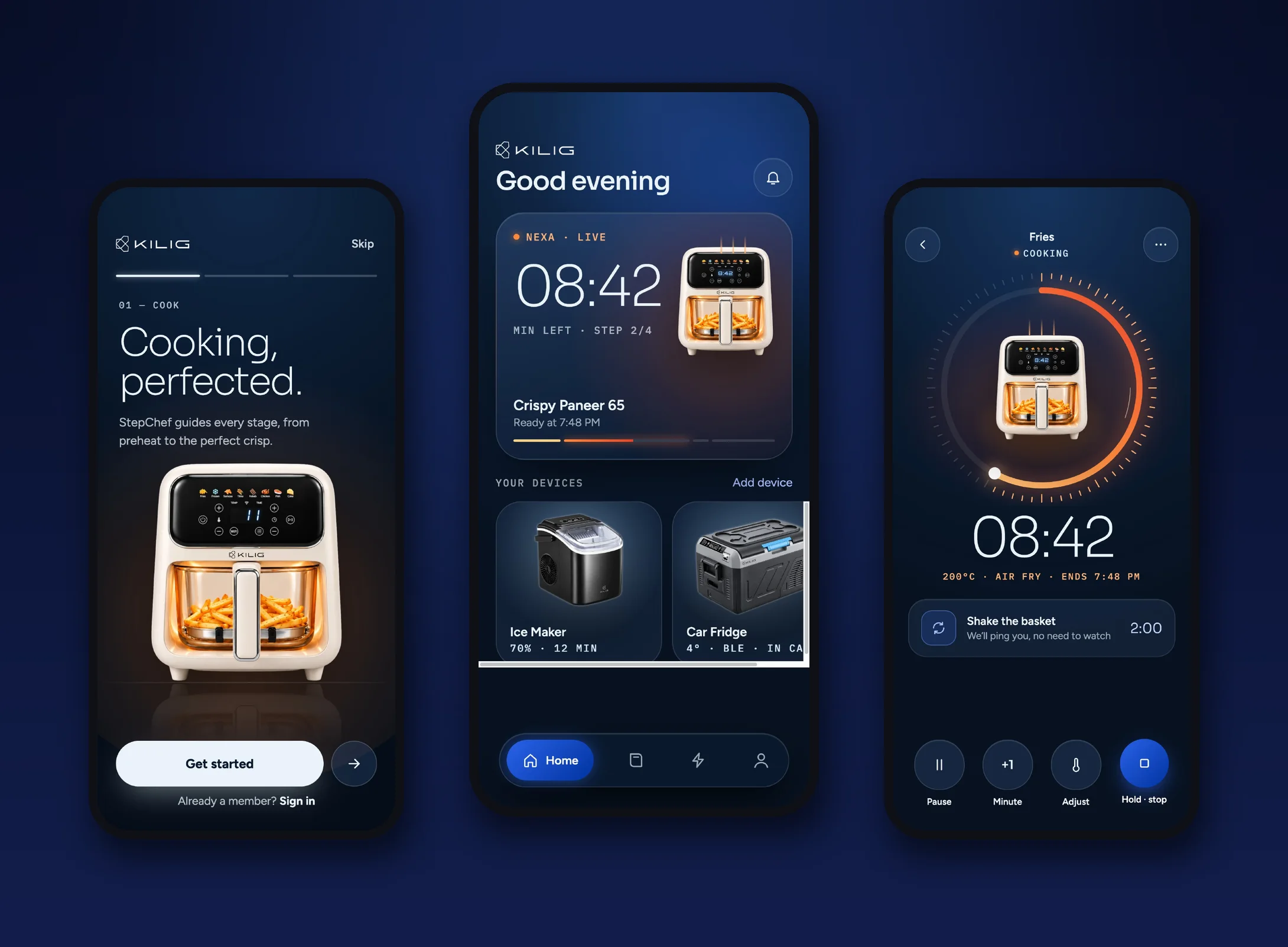
One app for KILIG’s connected kitchen: the Nexa air fryer, the ice maker and the car fridge. Built around one idea: you shouldn’t have to stand and watch your food.
- Client
- KILIG · True North International
- Role
- App UI and UX design
- Platform
- Mobile app
- Scope
- 30 screens, onboarding to settings
01The brief
KILIG makes Wi-Fi and Bluetooth appliances that share one app, MyKilig. The Nexa air fryer is the hero product. It has 8 Indian and global presets, app control and StepChef, a mode that runs a recipe step by step. The app had to make all of that feel simple for someone who has never used a smart appliance.
02The idea
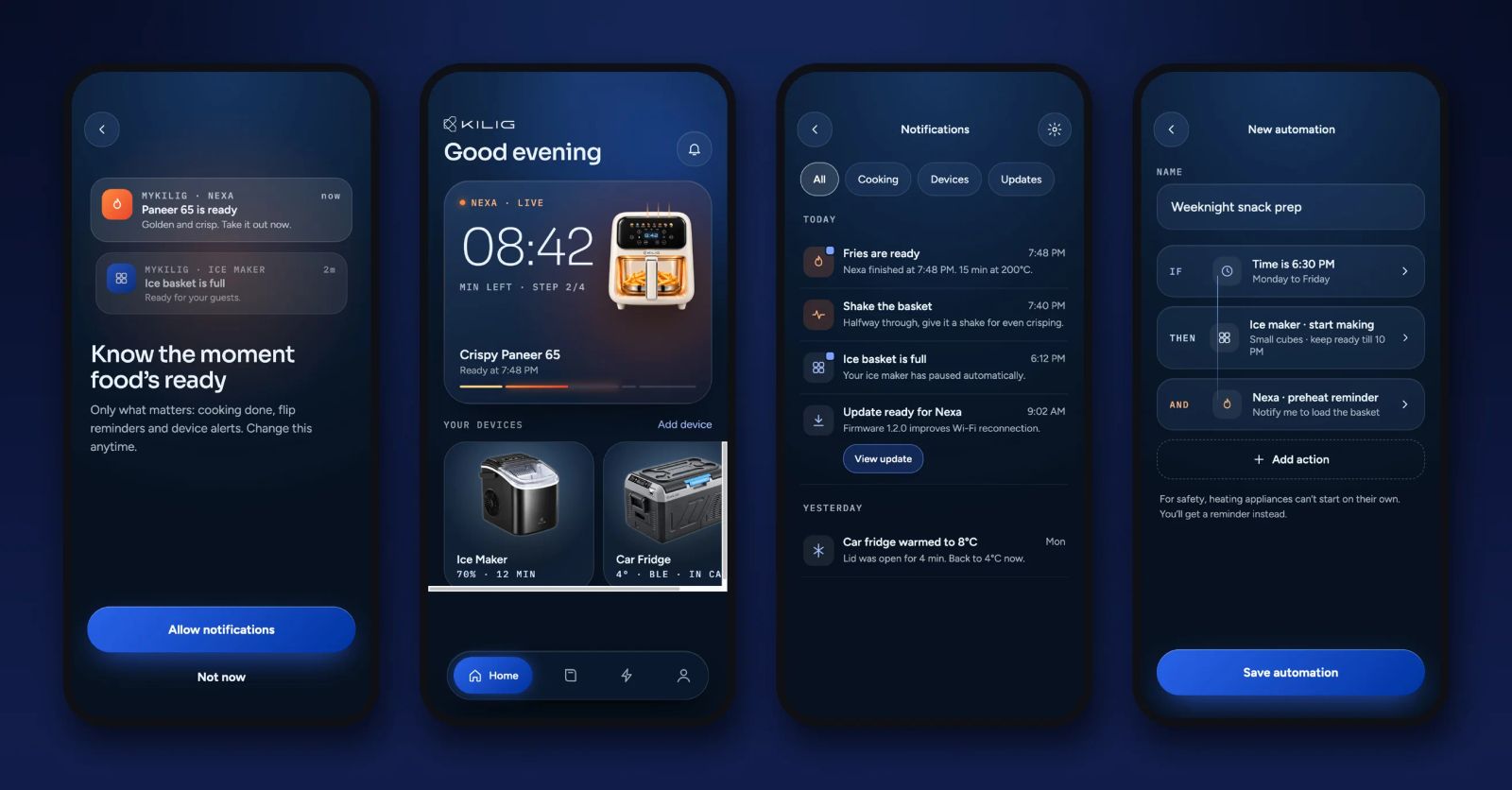
The app is there so you can walk away. It tells you the moment something needs you, like shaking the basket, flipping the paneer or taking the food out, and stays quiet the rest of the time.
Know the moment food’s ready.
03Getting in
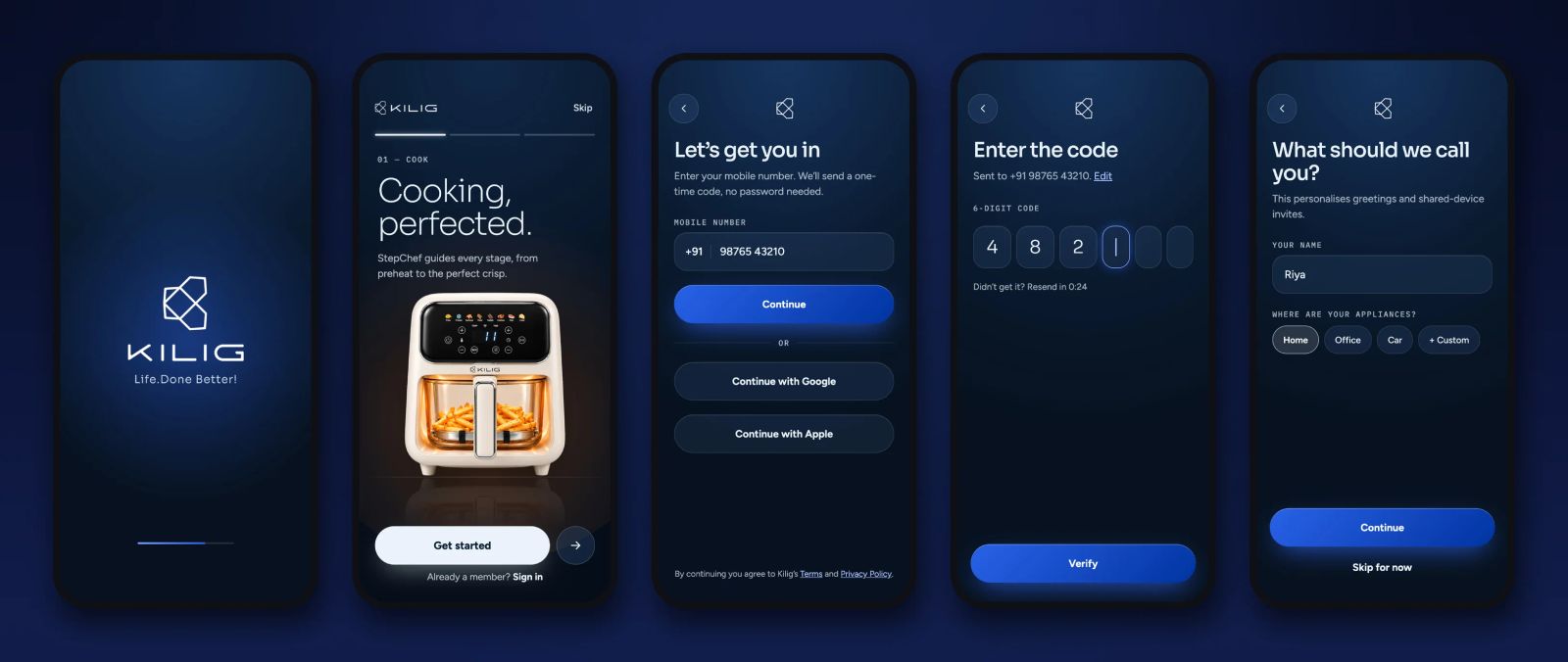
Sign-in uses a mobile number and a one-time code, with no password, plus Google and Apple. One question, “What should we call you?”, personalises the app and is used for shared-device invites.
04Pairing without the panic
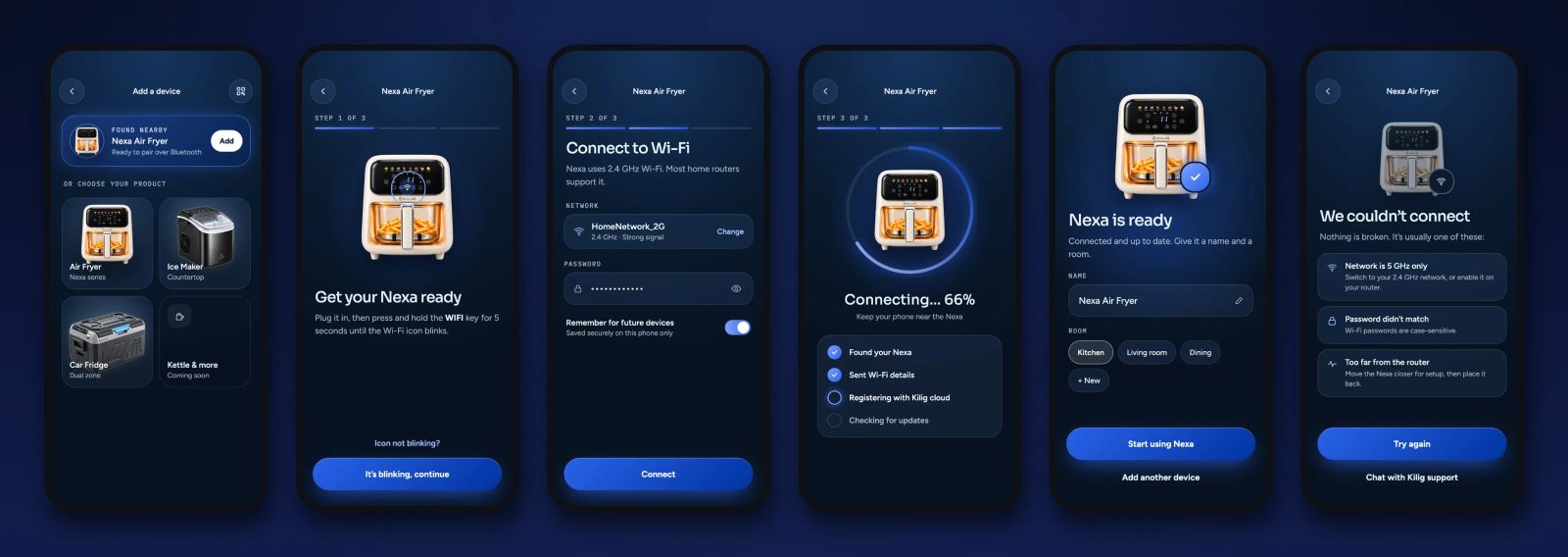
Setup is where smart appliances lose people, so pairing is three plain steps with a progress bar. The app finds the Nexa over Bluetooth, asks for Wi-Fi, and shows each step as it finishes. If it fails, the error screen lists the three usual causes (a 5 GHz network, a wrong password, the router too far away) and offers a retry or a chat with support.
05Cooking, guided
- Set it and slide
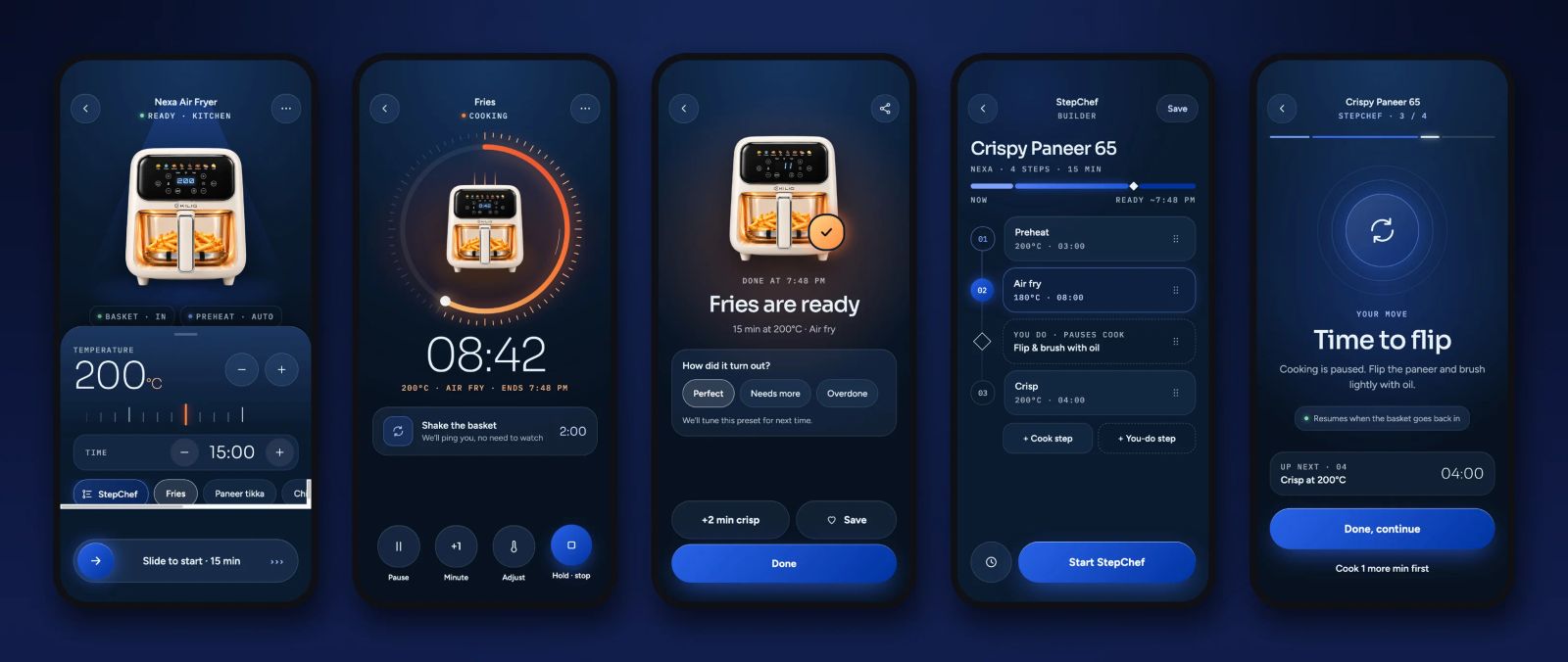
Temperature and time are big and touchable, presets sit in a row underneath, and a slide-to-start control prevents accidental starts.
- A timer you can read from across the room
A large countdown, with only four controls: pause, add a minute, adjust, and hold to stop.
- StepChef
A recipe becomes a timeline of cook steps and “you do” steps. When it’s your move, cooking pauses, the app says exactly what to do, and it carries on when the basket goes back in.
- It learns
When the food is done, one tap rates it Perfect, Needs more or Overdone, and the preset is adjusted next time.
06Home, alerts and automations
Home leads with whatever is cooking right now, with time left, the step and when it will be ready, and the other devices below it. Notifications are limited to what matters, grouped into cooking, devices and updates. Automations let one tap run several devices, with a safety rule built in: heating appliances can’t start on their own, so they send a reminder instead.
07Beyond the fryer
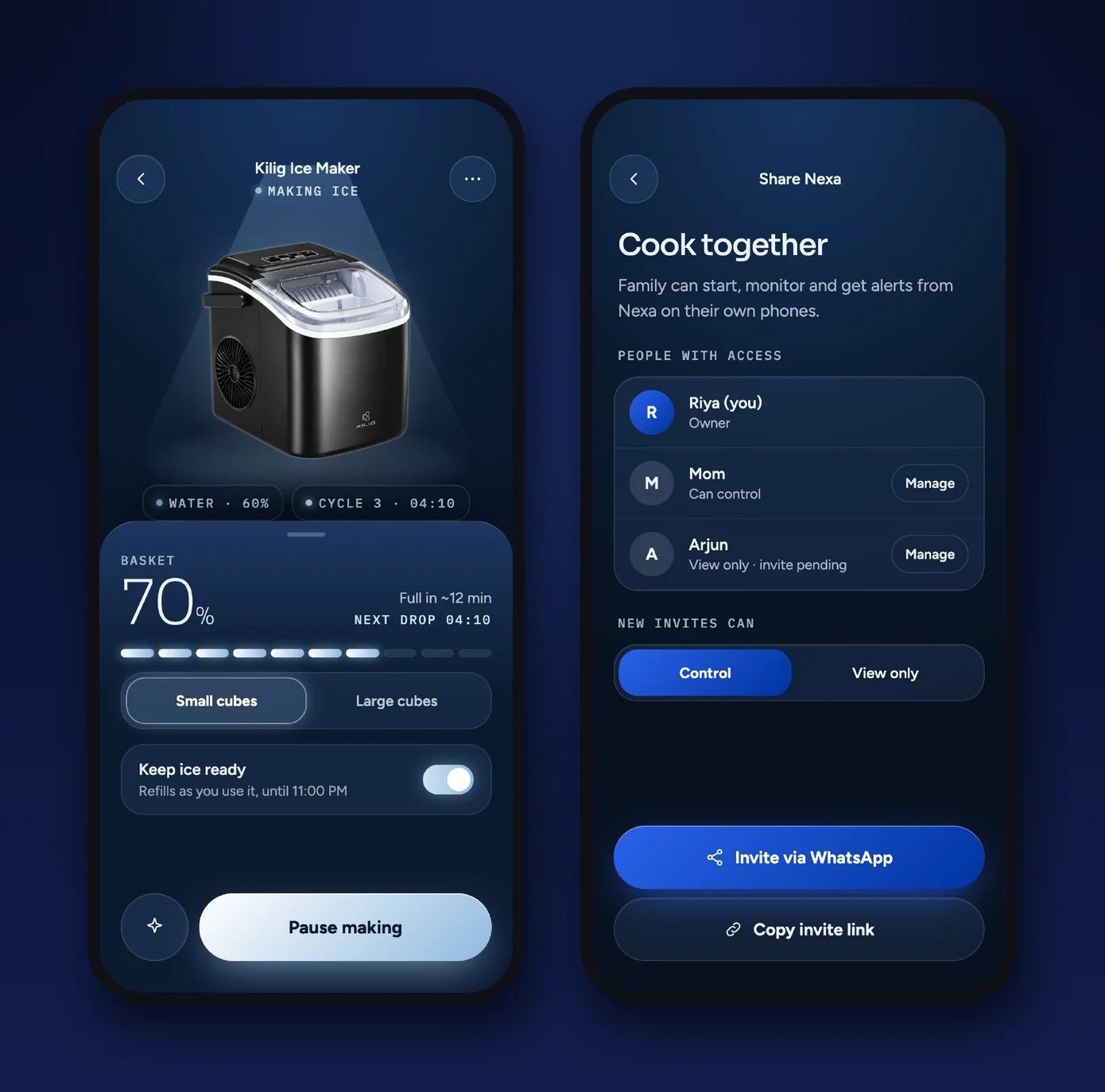
The same system covers the ice maker and the car fridge, each with its own main reading (basket fill level, fridge and freezer temperature), and the whole family can share a device with control or view-only access, invited over WhatsApp.
Real client project for KILIG (True North International). App UI and UX design by me.
Next project →KILIG Nexa Core